
Automations do the routine work for you: confirmation emails, reminders, telling your team about a new lead, moving events on. Each one starts with a trigger and runs its steps in order.
Triggers
Timed triggers run a set time after or before something, checked every minute:
- Time since the enquiry was created
- Time since the event was confirmed
- Time before the event date
- Time after the event has finished
You choose the amount, in hours, days or weeks.
Instant triggers run the moment something happens:
- A new lead is created
- The customer accepts a quote
- A contract is signed
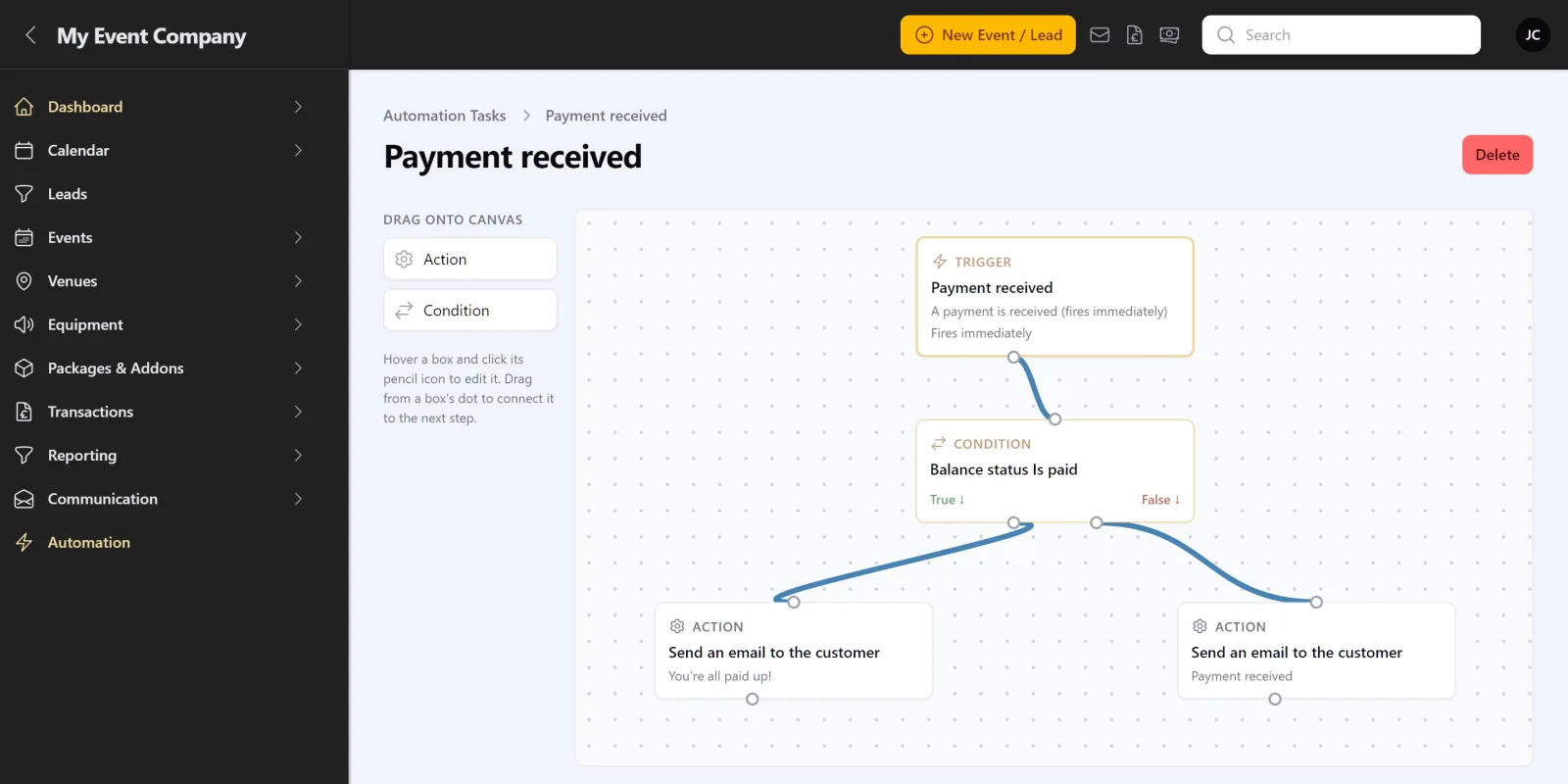
- Any payment, a deposit, a balance payment or any other payment is received
- A song is added to the playlist
- The customer adds a note for the first time, or updates an existing note
- Event planning is marked complete
Timed triggers, and most instant ones, can be limited to events with certain statuses, such as only Confirmed events.
Steps
- Send an email to the customer, from a template or written in the step
- Send an email to staff: admins, and staff working on the event
- Send a browser notification to staff
- Change the event status
- Send the contract to the customer
Checks
A condition step splits the automation into two paths, yes and no. You can check:
- Event status
- Deposit status
- Balance status
- Has a package selected
For example: when a payment is received, check whether the balance is paid. If yes, send a thank-you. If no, send a receipt showing what’s left.
Every event once
An automation runs once for each event, or once for each payment, note or song for the instant triggers that repeat. It never sends the same thing twice.
If a step fails, the automation stops there and your admins are told, with a link to the event.
Lead automations
The A new lead is created trigger works with leads, not events, so it can only send emails and notifications. Conditions and status changes don’t apply to it.
See Building an automation and The automations you start with.