
For this to work, you must have MDJM version 1.7.7 installed, Dynamic Contact Forms version 2.3.6 and PHP 8.3.
It will also only work if you have set the event type to wedding – DO NOT CHANGE THE SLUG NAME IN THE EVENT TYPES SECTION.
First thing, once you’ve updated your plugins, go the MDJM Menu -> Settings -> Extensions. Click on the Dynamic Contact Forms header if you have more than one extension installed. Scroll to the bottom and Enable the Wedding Timeline.

Save the settings
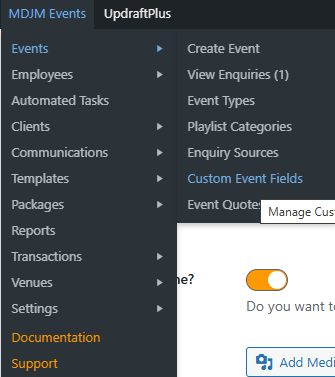
Hover over the top MDJM Events menu, click on Events -> Custom Event Fields
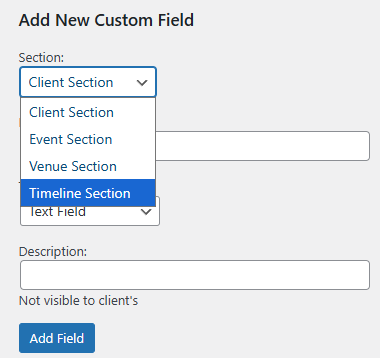
On the right, you will now have the Timeline Section on there. The fields you create are for all wedding events – they cannot be made event name specific.
When you’ve added the fields, you will notice on all Wedding event types, the fields will be there. These also display on the front end as well. Whatever you type in will be reflected to the client and vice versa.
Front End Example:
